


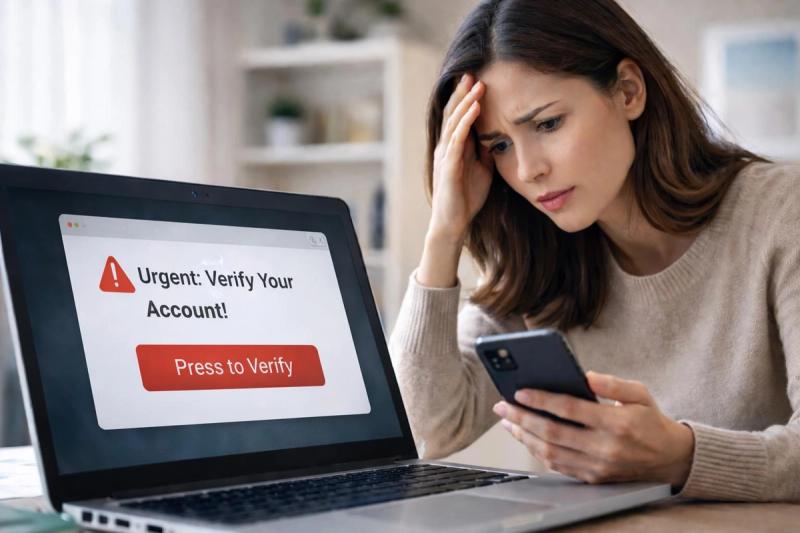
Phishing is one of the most effective ways scammers steal personal information. These attacks look legitimate at first glance and are designed to trick you into sharing financial details or other private data.
Phishing is the most common type of cybercrime in the USA, with over 193,000 reported incidents in 2024, according to the IC3’s annual report.
Nowadays, it can be surprisingly difficult to distinguish between a genuine message and a fake one. These scams are also becoming more advanced and harder to spot. Criminals are leveraging AI messages and deepfake audio to make their impersonations more convincing.
So, what exactly is phishing? And how can you identify these scams?
Key Takeaways
- Phishing is the most reported cybercrime in the U.S., responsible for more than 193,000 incidents in 2024 alone.
- Attackers now use AI tools to craft convincing phishing emails, deepfake audio, and realistic websites that mimic legitimate organizations, making it harder than ever to tell what’s real and what’s a scam.
- There is a wide range of tactics scammers use to carry out phishing emails, including spoofed emails, hyperlink manipulation, fake login pages, and impersonation.
- Before clicking any link, verify the sender, inspect the URL, and rely on tools like Lifeguard to flag suspicious messages before damage occurs.
What Is a Phishing Attack?
Phishing attempts always start with a “lure”, usually in the form of an email or SMS message. The scam message is written to seem like it’s from a trusted source, such as a familiar company, government organization, or even a family member.
The scammer's goal is to get you to click on a link, open an attachment, or share login details. Once you do, they’ll capture your credentials or direct you to a spoofed website.
According to the Cybersecurity and Infrastructure Security Agency (CISA), phishing is one of the most common and successful forms of cybercrime because it targets human behavior, not just technology.
Phishing attacks lean on deception rather than technical hacking. So, instead of breaking into computer security systems, scammers rely on social engineering, manipulating their victims into handing over their own information.
Methods Scammers Use in Phishing Attacks
Phishing scams use a mix of psychological and technical tricks to appear legitimate. Understanding how these methods work makes it easier to recognize them before you click or share anything sensitive.
Spoofed Emails
The most common phishing scam starts with a spoofed email. These messages imitate trusted companies or banks and often use the same logos, language, and formatting.
The email might claim there’s an issue with your account and prompt you to click a link or “verify” your information. When you click on the link, it will direct you to a fake website designed to collect your login credentials.
The sender address itself can look convincing at first glance, but often includes a small misspelling or extra character that’s easy to overlook. For example, a message claiming to be from PayPal might come from [email protected] or [email protected]o.
According to the FBI’s Internet Crime Complaint Center (IC3), it receives thousands of identity theft and financial fraud reports each year.
Deepfakes and AI Tactics
The rise of artificial intelligence has made phishing scams more convincing than ever. Instead of obviously suspicious scam emails, attackers now send messages that mimic the tone of a familiar person. For example, you may receive a carefully written email that matches your supervisor’s communication style or a video call that appears to show a company executive giving instructions.
AI-powered deepfake technology allows scammers to generate realistic voice recordings and videos that impersonate a person you know and trust.
The FBI warns that attackers are leveraging AI-generated voice and video messages to impersonate trusted individuals and carry out fraud schemes that can lead to devastating losses.
Hyperlink Manipulation
Another common trick used in phishing attacks is hyperlink manipulation. Scammers disguise malicious links behind seemingly legitimate web addresses, hoping you’ll click before noticing the difference. For example, the email message may include a hyperlink labeled “View Invoice” or “Track Package,” but the link actually redirects to a fake login page that captures your credentials.
Attackers often use shortened links or small domain changes that are easy to miss, such as replacing a single letter or adding extra characters. Scammers will also spoof the website, making it appear almost identical to the real thing.
Credential Harvesting
Phishing links typically lead to spoofed sites that are designed to collect sensitive information. Once the site loads, you’ll be asked to enter your login details or credit card information. Everything entered on that page is copied and sent directly to the attacker. In some cases, the fake site may even display an error message and redirect you to the real one after you enter your details.
From there, criminals will quickly put your stolen credentials to use. Within hours, the scammer will access accounts or sell your personal information to others. Some phishing campaigns also steal authentication tokens, which continue to give them access to your accounts after passwords are changed. According to the FBI, credential theft remains one of the leading causes of account takeovers and financial losses each year.
Different Types of Phishing
Email Phishing
Email phishing is the most widespread form of phishing, accounting for the majority of reported cases each year. These scams are all about scale. Attackers send out thousands of emails at once in hopes that a few recipients will take the bait. These email messages use urgent language to trick you into acting quickly.
For example, it might claim that your bank account will be suspended or that a shipment is delayed. While most standard email phishing attempts are relatively easy to filter, advanced AI-powered scams have been slipping past spam filters more and more.
Smishing (SMS Phishing)
In the past few years, text message fraud has become one of scammers’ favorite tools for delivering phishing attacks. These short SMS messages work in a similar way to email messages, but are easier to scale and often more difficult to filter out and detect.
Because texts feel more direct and personal than emails, people are more likely to trust them and respond quickly. Attackers also spoof real company names or phone numbers to make their messages look legitimate. The Federal Communications Commission (FCC) reports that text-based scams are growing rapidly as criminals shift from email to mobile platforms.
One of the most prevalent examples of this is fake unpaid toll scams, which have increased by more than 600% in some regions.
Vishing (Voice Phishing)
Phone calls are another common way scammers try to steal personal information. Instead of sending a link through email, they speak directly with victims on the phone, pretending to be a bank representative, government official, or customer service agent.
Some scammers even use AI-generated methods such as deepfakes or voice cloning that mimic real people, making the call sound authentic. According to the FBI’s Internet Crime Report, voice phishing was the second most common contact method after email.
Clone Phishing
Clone phishing is a specific form of email phishing where attackers copy a legitimate message the victim has already received and resend it with a malicious link or attachment. The email will look identical to the original, with the same subject line and sender name, but the scammer will swap the original attachment or link with malware or a credential-stealing page.
For example, you may get an invoice from a vendor and open it. Later on, you’ll receive the same invoice again marked “resend” or “updated”. Because the message mirrors one you’ve already received, you are far less likely to question it.
Pharming
You do not need to click a link to land on a fake site. Pharming is an advanced type of phishing that redirects you behind the scenes by corrupting the systems that translate domain names into IP addresses. So, instead of visiting your bank’s real server, your browser is silently sent to a lookalike site that collects your login details.
Attackers carry out pharming in several ways: they poison DNS caches, change the DNS settings on poorly secured home routers, or modify a device’s hosts file so a legitimate domain resolves to the attacker’s server.
For instance, you type your bank’s URL into the address bar, but since the DNS lookup has been tampered with by a scammer, you are routed to a cloned site that mimics the bank. The page behaves normally and may even present a valid HTTPS certificate.
Pharming is a particularly dangerous phishing method because it removes the usual clues people rely on.
Spear Phishing
Spear phishing is a highly personalized attack that targets a specific person or group rather than casting a wide net. Attackers will conduct thorough research on the victim, using details from social media, company websites, or leaked databases to make their message appear personal and urgent.
A typical spear phishing scenario: someone in finance receives an email that looks like it came from the CEO, referencing a recent meeting and asking for an immediate vendor payment. The message uses real names, internal language, and a plausible reason for the request, so it bypasses the usual skepticism.
According to a recent IBM report, business email compromise attacks, a common type of spear phishing, accounted for $2.9 billion in reported losses in 2023.
Whaling
Executives and senior employees are prime targets for sophisticated scams. Whaling is a form of spear phishing, but it focuses specifically on high-profile individuals. This may include people with access to internal financial systems or sensitive company information. Like spear phishing, scammers invest time in refining their strategy to make messages feel authentic. Since the targets of whaling scams typically have direct access to money, the stakes and potential payouts are higher.
In one common example, a CFO might receive an email that appears to come from the CEO, referencing a real project and requesting an urgent wire transfer to a new account. The tone of the email feels authentic, and the details of the project check out.
Whaling attacks account for some of the largest financial losses in cybercrime, with average losses per incident among the highest of any type of phishing attack.
These schemes have cost U.S. businesses billions of dollars over the past several years.
A famous real-world example of this was the $47 million business email compromise scam affecting the publicly traded company Ubiquiti Networks in 2015.
What Are the Signs of a Phishing Attack?
Even the most advanced scams usually leave subtle clues. Here are some common red flags that suggest you’ve been targeted:
- Unexpected contact: You receive an email, call, or SMS from a company or person you didn’t expect to hear from. It should raise the alarm bells if the sender immediately asks for your personal or financial details.
- Urgent or threatening language: It’s a telltale sign of a scam if the message pressures you to act immediately by threatening legal action or account closure.
- Suspicious links or attachments: Hover over links before clicking; mismatched URLs or unknown file types are strong indicators of a scam.
- Requests for sensitive information: Legitimate organizations will rarely ask for your passwords, MFA codes, or full account numbers through email or text.
- Minor errors or inconsistencies: Look for small spelling mistakes, awkward phrasing, or unusual email domains that don’t match the official site.
Strategies for Preventing Phishing Attacks
Verify Before You Click Any Links
Before opening any link from an email or text, take a moment to confirm where it came from. The safest move is to visit the company’s official website or app directly instead. Alternatively, look up the company’s official customer support number and call to confirm if the message is legitimate.
Use Lifeguard for Threat Detection and Alerts
There is no denying that phishing attacks have become increasingly difficult to spot, but Lifeguard helps you stay one step ahead of scammers. Lifeguard automatically scans messages, emails, and websites for signs of fraud, such as spoofed links, fake login pages, or domains associated with known scams. If something looks suspicious, you’ll get a clear warning before you click or share information.
Be Cautious with Personal Information
Scammers gather small bits of information to make their messages more believable. To counter this, limit what you share publicly. Even seemingly minor information like your date of birth, workplace, and travel plans can all be used to personalize a phishing attempt. Review your social media privacy settings and remove anything that doesn’t absolutely need to be public. The less data available, the harder it will be for scammers to target you.
Keep Your Devices and Accounts Secure
Strong cyber hygiene is the best defense against a phishing attempt. Use unique passwords for every account and store them in a trusted password manager. Turn on two-factor authentication wherever possible and frequently update your devices, browsers, and security software.
Verify the Site’s HTTPS Certificate is Legitimate
HTTPS secures your connection to a website by encrypting the data you send and receive. Always make sure any site where you enter personal or payment information begins with “https://” and shows a padlock icon in the address bar. However, this alone doesn’t guarantee safety. Scammers can create fake sites that also display HTTPS indicators. Click the padlock icon and review the certificate details to confirm it’s issued to the correct organization before entering sensitive information.
Stay Ahead of Phishing Scams
Phishing is one of the most persistent and adaptable threats online today. The best defense is awareness. Knowing how these scams work, what to look for, and how to respond can drastically lower your risk.
Lifeguard combines real-time threat detection and actionable alerts with clear, easy-to-follow education on common scams. Together, these tools help you recognize risks early and keep your personal information secure every time you go online.