


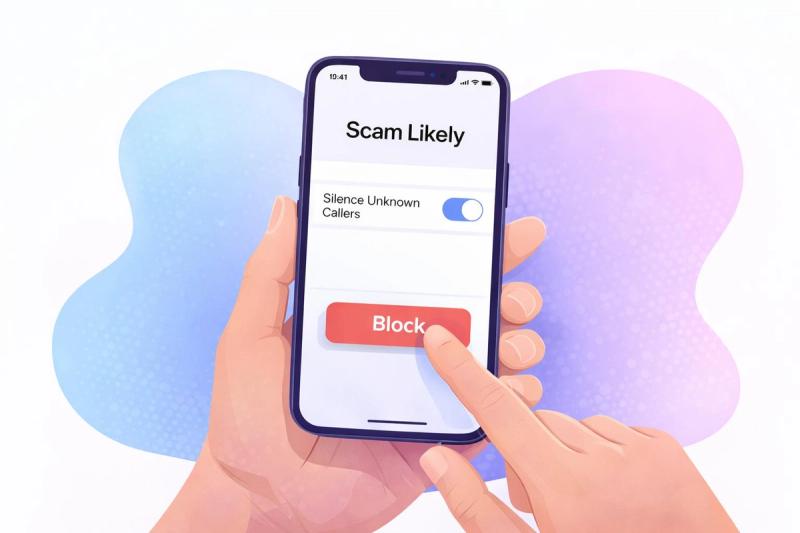
Have you been seeing “Scam Likely” pop up on your screen more often lately? You might appreciate the heads-up from your carrier, but the constant interruptions can get old fast. And if the calls keep coming through, you’re probably wondering how to block them for good.
The truth is, “Scam Likely” is your carrier flagging calls that look risky based on patterns or suspicious behavior on the network. Understanding what triggers that label (and how to stop those calls at the source) makes it much easier to regain control of your phone.
So why exactly are you getting “Scam Likely”? And what’s the most effective way to block them?
Key Takeaways
- “Scam Likely” appears when carriers detect calling patterns linked to spoofing, high-volume auto-dialing, or known fraud numbers. It’s a warning that the call isn’t trustworthy.
- Turning on built-in call-filtering tools on your iPhone or Android device blocks most unwanted calls before they ring. Carrier apps and third-party blockers add another layer of control.
- If you are receiving a flood of “Scam Likely” calls, it’s a sign that your number has been circulating through marketing lists and scam databases for a while. The more you lock down where your number is stored and shared, the fewer of these flagged calls will reach you.
- Not every scam call gets flagged. If a number feels off, let it go to voicemail, avoid sharing information, and report suspicious calls to the FTC or FCC to help stop repeat attempts.
What Does “Scam Likely” Mean?
In the simplest terms, when a call shows up as “Scam Likely,” it means your carrier suspects the number is linked to suspicious activity. Your phone carrier scans billions of calls and uses fraud databases to spot patterns. For example, if the carrier detects a common sign of fraud, such as placing a large volume of automated calls or spoofing caller IDs, it may label the number as suspicious.
In 2024 alone, victims of phone-based scams lost an average of $3,690. Carriers are making a significant effort to identify malicious activity and equip customers with resources to avoid such attacks.
Each major U.S. carrier uses its own wording for calls that match scam-related patterns. They all serve the same purpose, but the label on your screen may look slightly different:
- T-Mobile: Scam Likely
- AT&T: Potential Spam or Suspicious Call
- Verizon: Potential Spam, Spam Risk, or Fraud Risk, depending on severity
The “Scam Likely” label on calls doesn’t automatically guarantee the call is dangerous, but it’s a strong sign you shouldn’t pick up.
How Carriers Identify Scam Calls
Carriers don’t label calls as “Scam Likely” at random. They use several systems to detect patterns that match common scam behavior. Here are the main triggers that can result in a call being designated as “scam likely”.
- Caller ID mismatch (STIR/SHAKEN failures): Carriers check whether the number that appears on your screen matches the number that actually placed the call. If it doesn’t, the call is flagged. The FCC requires carriers to use these authentication tools to fight spoofing.
- High-volume calling patterns: Scam operations often place thousands of calls within minutes using auto-dialers. Carriers monitor for this kind of activity and flag these numbers.
- Numbers associated with known scams: Major carriers maintain large fraud databases. If complaints or previous scam activity are tied to a number, it’s more likely to be labeled as suspicious.
- Spoofed or suspicious area codes: Scammers often make their calls look local by spoofing your area code or the first few digits of your own number. Carriers check for cases where the call appears to be nearby but isn’t coming from a real local number. For example, you might see a number that starts with the same three digits as yours, but it isn’t tied to any legitimate business or registered phone line.
- Invalid or unused phone numbers: Every phone number in the U.S. must fall within specific ranges that carriers actively use. When a call shows up from a number that shouldn’t exist, for example, a number starting with “000” or one that isn’t assigned to any carrier, your provider treats it as high-risk.
Types of Calls That Trigger a “Scam Likely” Label
Your carrier doesn’t only flag outright scam attempts. The “Scam Likely” tag can appear on several types of calls, depending on how they behave on the network.
Legitimate Sales Calls
Many legal telemarketing calls are placed through large outbound call centers where dozens or even hundreds of agents share the same phone number. These operations look nearly identical to spam activity, since they make thousands of calls per day and often reach out to people who never opted in. This is why your carrier may label them as “Scam Likely” even if the caller isn’t a criminal.
While the risk is low compared to an impersonation scam, who really wants endless marketing calls?
Robocalls
Robocalls are one of the biggest sources of “Scam Likely” warnings. Many of the most dangerous phone scams start by robocalling a vast number of phones to see who picks up.
However, not all robocalls are scams. There are several legitimate reasons you might receive robocalls, such as Amber alerts and flood warnings, or automated reminders you agreed to receive.
Carriers can’t always tell the difference. When a number is placing thousands of automated calls per hour, it may get mistakenly flagged.
Vishing (Impersonation)
Vishing calls are the highest-risk category and one of the main reasons the “Scam Likely” tag exists. This is a specific type of phishing that focuses on phone calls rather than email or texting. These callers impersonate banks, government agencies, phone carriers, delivery services, or even your employer and try to pressure you into sharing sensitive personal information or making payments.
Because these scams frequently lead to massive financial losses or identity theft, carriers aggressively flag numbers tied to impersonation patterns. So, despite the fact that many calls labeled as a “Spam Risk” aren’t scams, you should always assume they are.
How to Block “Scam Likely” Calls
You can stop most “Scam Likely” calls with a few quick changes on your phone. The steps differ slightly between iPhone and Android, but both devices give you enough control to filter out quite a few unwanted calls with just a few changes.
On iPhone
How to silence “Scam Likely” calls automatically:
- Open Settings
- Tap Phone
- Select Silence Unknown Callers
- Switch it On
How to block a specific number labeled “Scam Likely”:
- Open the Phone app
- Go to Recents
- Tap the “i” next to the flagged number
- Select Block Caller
On Android
How to filter or block scam-likely calls automatically:
- Open the Phone app
- Tap the three dots (top right)
- Select Settings
- Tap Caller ID & Spam
- Turn on Filter spam calls (Block spam and scam calls on Samsung phones)
How to block a specific “Scam Likely” caller:
- Open the Phone app
- Go to Recents
- Tap the number labeled “Scam Likely”
- Select Block or Report Spam
Why You’re Getting “Scam Likely” Calls
If you are receiving an endless stream of “Scam Likely” calls, it’s natural to wonder how these callers found your number in the first place.
Scam operations use several different methods to gather phone numbers, many of which have nothing to do with anything you personally did.
Your Information Was Involved in a Data Breach
Data breaches expose the personal information (email addresses, phone numbers, etc.) of affected individuals. Scammers then purchase the information from these breaches and use it to craft more convincing calls. Luckily, your carrier will often stay on top of things and label these calls as “Scam Likely”. You can check if your information has been compromised in a data breach using tools like Have I Been Pwned.
Robocall Systems Generate Numbers Automatically
Oftentimes, when you receive a “Scam Likely” call, your number was never leaked or sold. Automated robocall systems generate number sequences and call every variation. You can think of this as guessing every combination on a lock. If your number happens to fall in that sequence, you’ll get a call. The good news is that carriers are pretty good at detecting these auto-dialing patterns.
Your Number Was Shared Without You Realizing It
Did you know that every time you sign up for a rewards program or enter your phone number into an application, you risk your phone number being sold or shared?
Companies often share that information with their marketing partners, which means your number may be circulating far more widely than you realize. Signing up for a Walgreens rewards program won’t automatically mean your details will end up in the hands of scammers, but it does increase the chances.
What If a Scam Call Isn’t Labelled as “Scam Likely”?
Your carrier’s warnings are helpful, but they’re not perfect. Just because a call isn’t designated by your carrier as “Scam Likely” doesn’t mean it’s legit. Scam calls often slip through without any label at all, especially if the scammer is using a freshly spoofed number.
If you receive a call from a number you don’t recognize and something feels off, trust your instincts.
Here is a quick step-by-step breakdown of what to do if you receive a suspicious call that your carrier doesn’t flag:
- Hang up immediately
- If the scammer is impersonating a business or agency, call the organization using the official number listed on their website
- Block the number after confirming it is a scam call
- Report the call to the FTC or FCC
How to Reduce Future “Scam Likely” Calls
You can’t eliminate every unwanted call, but by following a few practical habits, you can dramatically cut down on the frequency you receive “Scam Likely” calls.
Don’t Answer Unknown Numbers
It may sound simple, but ignoring calls from unknown numbers is one of the most effective ways to reduce future spam. Auto-dialing systems track whether a number is “active,” and answering, even once, can lead to more attempts. Let unexpected calls go to voicemail. They will likely leave a voice message, and you’ll be able to confirm if it's legitimate or spam.
Register With the National Do Not Call Registry
The National Do Not Call Registry won’t stop scammers, but it will reduce the number of telemarketing calls you receive. This cuts down the general noise and makes it easier to identify when a call is risky. Signing up is 100% free, and your number will permanently stay on the list. If you continue receiving sales calls after registering, you can report them directly to the FTC.
Use a Trusted Call-Blocking App
If your phone’s built-in tools aren’t doing the trick, you can turn to a reputable third-party app to filter out spam and scam calls. There are quite a few different third-party call blocking options out there, but some of the most popular are:
Use Lifeguard for Ongoing Protection Against Scams
While call-blocking software can certainly help, technology cannot stop scams on its own. Lifeguard helps stop scam calls in their tracks by detecting scam messages and sending out real-time alerts to users.
When you sign up for a subscription, Lifeguard also removes your information from 120+ data broker sites and automatically registers your number with the Do Not Call list.
Limit Where You Share Your Phone Number
The fewer places your number appears, the less likely it is to end up in the hands of telemarketers or scammers. Avoid adding your number to sweepstakes entries, online forms, loyalty memberships, or social media profiles unless it’s absolutely necessary. Many data brokers scrape these sources, and once your number enters that ecosystem, it can circulate for years. Be selective about where you share your number. It’s one of the most reliable long-term ways to reduce unwanted scam calls.
Keep Scam Calls Out for Good
“Scam Likely” calls don’t have to be something you simply put up with. Once you know how carriers decide which calls to flag and how to filter out the ones you don’t want, these interruptions become much easier to manage. A couple of small adjustments and habits can go a long way and reduce a surprising amount of unwanted calls.
Lifeguard is a scam protection that keeps working in the background. It monitors for scam activity in real time, alerts you to suspicious numbers, and removes your information from the data brokers that fuel many of these calls. With Lifeguard, staying ahead of scams becomes far more manageable.