


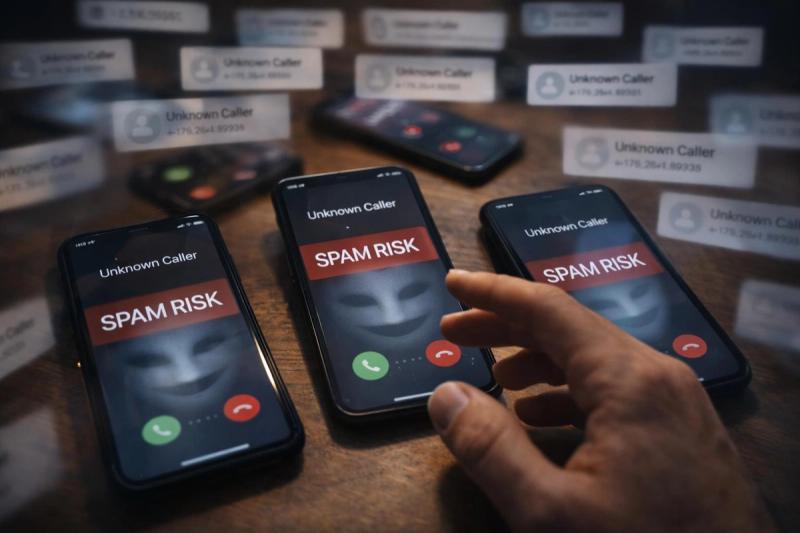
One day, your phone is normal. The next, it’s lighting up with back-to-back calls from numbers you don’t recognize. Modern spam campaigns are like a hydra. Block one and two more show up. Silence them, and they keep coming anyway.
These calls are beyond frustrating for those on the receiving end. And it can be pretty difficult to know how to respond to them.
Do you answer them or send them to voicemail? And if you pick up, how are you supposed to tell the difference between a legit caller and a scam?
The bad news is that a sudden surge in spam calls is rarely fixed by blocking a few numbers. The good news is that there are a few simple steps you can take to reduce future call volume.
Key Takeaways
- A sudden spike in spam calls usually isn’t random. If you recently added your number to a marketing form or your number is listed publicly, it’s likely the reason you are getting so much spam.
- Blocking numbers helps with short-term relief, but it rarely solves the problem. Scam operations rotate spoofed numbers constantly, so it’s almost impossible to block your way out of these situations.
- Answering an unsolicited call even once or replying to a text can signal that your number is worth targeting again, which increases call volume instead of reducing it.
- The most effective way to stop spam is to limit where your number appears, review your app permissions, and register for the National Do Not Call Registry.
Why Are You Suddenly Receiving So Many Spam Calls?
Is your phone being bombarded by unknown spam calls? You are not alone. Youmail estimates that U.S. consumers received about 53 billion robocalls in 2024.
When people say “spam calls,” they usually mean one of two things:
- Spam/telemarketing calls: Annoying sales calls (often from lead-gen companies) trying to sell you something, get you to book an appointment, or confirm details so they can keep marketing to you. Some are “legal-ish,” some are sketchy, and many ignore requests to stop.
- Vishing scams: Fraudulent phishing calls designed to steal money or access. These callers pretend to be your bank, a delivery company, a government agency, or “support” and try to pressure you into sharing sensitive info or sending money.
The tricky part is that most scams masquerade as legitimate companies, so it can be hard to tell what you are dealing with.
Either way, these calls are annoying and can be incredibly persistent. Here are the most common reasons it happens.
You Responded to a Scam Text or Call
Often, the spike in unsolicited calls starts with one small interaction that seems harmless. You may have briefly answered a call or replied to a text before realizing it was spam.
From a scammer’s perspective, that interaction confirms your number is real. Auto-dialers will call thousands of numbers at once and then mark down which ones are active.
The scammer might also test out your number by sending an SMS. For example, a text might read “Flash sale ends tonight, 25% off your next order. Reply STOP to unsubscribe.”
However, if you reply to the text, your number will be marked as active. This usually results in more frequent spam calls (often from different numbers) because you’ve proven you’re reachable.
This is also why “block the number” can feel pointless in the moment. The operation isn’t married to one phone number. They’ll just swap numbers and keep going.
Your Number Was Shared or Sold
Ever entered your phone number into an online form, checkout page, or new account signup? There’s a chance it was shared or sold to marketing partners.
A lot of those forms come with fine print that allows your info to be shared with “partners.” While this often is a legit marketing network, it can still lead to your information being passed to organizations you didn’t directly give it to.
Here are some common examples that often lead to your details being shared:
- requesting a quote (insurance, loans, home services)
- signing up for a deal or promo code
- entering a giveaway
- creating an account to buy something online
- filling out a “contact me” form
Once your number is on a marketing list, it doesn’t just get used by one caller. It can be sold, re-sold, and bundled with other details (like your name or location), which is why you might suddenly start getting calls from multiple numbers in the same week.
To be clear, this doesn’t usually mean your number is being directly handed to scammers. But the more places your details live, the more likely they are to be forwarded or leaked, which increases your overall risk.
Your Information Was Part of a Data Breach
Even if you didn’t do anything wrong, your details can still end up circulating due to a data breach. Data breaches are becoming more and more common; the Identity Theft Resource Center counted 3,158 U.S. data compromises in 2024 alone.
Scammers might have gathered your phone number and some other basic details like your name and address from a data breach.
Even if you never hear about the breach directly, the fallout can show up as a sudden spike in unsolicited calls.
Your Number ls Listed Publicly
If your phone number appears anywhere online, it can get picked up and used by people with bad intentions. This includes places you may have completely forgotten about, such as an old résumé, a Facebook marketplace listing, a local directory, or a people-search sites that publish contact info.
Once your number is visible, telemarketers and scammers can add it to calling lists. That’s one reason the calls can spike without you changing anything.
Have an inkling that your number is visible online, but aren’t sure where? Here’s what you should do:
- Search your number online (type it with quotes, like "555-123-4567").
- If you find it on a site or marketplace listing you control, edit or remove the listing.
- If it’s on a directory or people-search site, look for their opt-out or remove listing option and submit a request.
Even removing a couple of public listings can make your number significantly harder to find, which helps reduce repeat waves of spam calls.
Auto-Dialers Hit Your Number by Chance
Sometimes, there isn’t anything you did wrong to trigger the sudden increase in calls. A lot of spam calls come from auto-dialing systems that blast through huge blocks of phone numbers. They essentially call every possible combination in an area code or number range until they find working lines.
So, even if you are doing everything right, there is still a pretty good chance you’ll receive scam calls.
If your number is in the batch they’re calling, you’ll get hit, even if your info was never shared or leaked.
It can also snowball fast. If you answer even once (or your voicemail picks up), the system will treat that as a “live” number and keep it in the rotation. That’s why the calls can feel random at first, then suddenly become nonstop.
You Installed an App That Accesses Call Data
If you recently installed a new caller ID, spam-blocking, dialer, or carrier protection app, it may have asked for permission to manage calls and read your call log. On Android, that permission can include access to details like the numbers you’ve called, when calls happened, and whether they were missed or answered. Google treats SMS and Call Log permissions as sensitive, but apps can still request them if the permission is needed for core features (and if the app meets Google Play’s policy requirements).
On iPhone, this type of access is usually more limited, so you’ll see this come up more often on Android.
This isn’t automatically “shady.” Quite a few apps genuinely need that access to screen calls or label unknown numbers. But it does mean more of your call activity is now in an app’s hands, and if that app has loose data practices, it can increase your overall exposure.
If the spam spike started around the same time you installed something like this, it’s worth checking the app’s permissions and removing anything you don’t fully trust or don’t need.
How to Block Spam Callers
If you’re dealing with a constant influx of unwanted calls, the best and fastest way to get some relief is to block the repeat callers and silence unknown callers so your phone isn’t ringing nonstop.
Here’s how to do it:
1. How to Block Individual Numbers
- iPhone: Open the Phone app, tap Recents, tap the small info (i) icon next to the number, then choose Block this Caller.
- Android: Open your Phone app and your recent calls list, tap the number, and select Block (many phones also show “Report spam”).
2. How to Silence Unknown Callers
- iPhone: You can send calls from unknown numbers straight to voicemail by turning on Silence Unknown Callers in your Phone settings.
- Android: Look in your Phone app settings for options like Caller ID & Spam, Spam Protection, or Block Unknown/Private Numbers. Depending on your device, you may also be able to screen suspected spam automatically.
Why Blocking Alone Often Doesn’t Work
Blocking helps in the moment, especially when the same number keeps calling. But most spam calls come from campaigns, not individuals, so the calls keep coming even after you block and silence.
The Number Is Often Spoofed
Spam callers routinely spoof caller ID. Spoofing means that the digits that show up on your screen aren’t the actual number they are calling from. Scammers use VoIP to alter call data and make the number appear to be coming from your local area.
Even if you block the number that called you today, you’ll actually only be blocking the spoofed number, and the scammer will simply call again using different digits.
Spam Campaigns Don’t Depend on One Caller
If your number was caught up in a data breach or added to a marketing list, it usually doesn’t stay in one place. These lists get shared, resold, and copied, so once you end up on them, you’ll likely get contacted by multiple telemarketers and scam groups at the same time.
You’re not dealing with one caller who won’t leave you alone; you’re dealing with several different groups pulling from the same pool of phone numbers. That’s why blocking one or even a few numbers can feel like a drop in the bucket.
Silencing Reduces Interruptions, Not Attempts
Silencing unknown callers (or sending them to voicemail) is great for cutting down the daily disruption. But it doesn’t stop your number from being dialed; it just makes them less annoying. You’ll still likely continue receiving plenty of call attempts, especially if your number is marked as “active” in the scammer’s system.
How to Reduce Future Spam Call Risk
We’ve established that blocking calls isn’t actually the best way to reduce spam. So what does work when you want the calls to slow down for good?
Be Selective About Where You Share Your Number
Keeping your main number off extra lists is one of the best ways to reduce spam calls.
Spam call problems often get worse when your number ends up in too many databases. Before you type it into a form or add it to an online profile, take a second to decide if it’s truly necessary. If the phone field is optional, leave it blank. If it’s required for something low-stakes like a coupon, a download, or a basic account, think about using a secondary number instead of your primary one.
Some of the most common culprits are online quote requests, especially for loans and insurance.
Don’t Interact With Spam Calls or Messages
If you answer a spam call, even briefly, it will likely signal to the caller that your number is active. The same goes for replying to unsolicited texts. When you don’t recognize a number and you’re not expecting a call, it's best to let it go to voicemail.
If the call is from a legitimate organization, they’ll leave a message you can verify.
With texts, only reply after you’re absolutely sure it’s the real company contacting you. Otherwise, delete it and move on. The rule of thumb here is: The less you engage, the less your number stands out as worth calling again.
Sign Up for the National Do Not Call Registry
One of the best ways to reduce the number of telemarketing calls you receive is to add your phone number to the National Do Not Call Registry.
Keep in mind, this won’t stop scam callers, but it can cut down on the calls coming from legitimate companies that actually follow the rules. It will also make it easier to identify scam callers. Since legitimate “rule following” organizations will not cold call you anymore, it’s safe to assume that the majority of unknown calls you receive are vishing scams.
If a legit business continues calling after you’re registered, report it to the Federal Trade Commission (FTC) by filing a complaint.
Use Lifeguard to Monitor Patterns and Alerts
Modern scam callers can spoof numbers and copy legitimate scripts, which makes the “obvious” red flags much less pronounced. Add in artificial intelligence scam tactics like voice cloning and deepfakes, and it can be almost impossible to identify a vishing call.
Lifeguard is an advanced AI-powered scam protection software that flags suspicious numbers before you pick up and warns you when a caller’s identity doesn’t match the number they’re using. If something shifts, like a sudden spike in unknown calls or signs your info is circulating more widely, Lifeguard will help you catch it early and take action before it turns into nonstop interruptions.